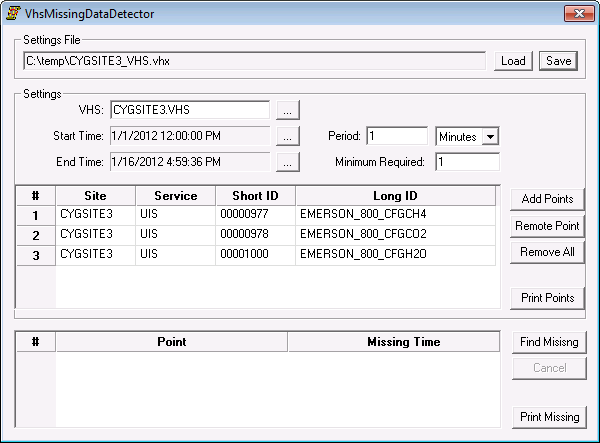
The VHS Missing Data Detector utility searches the VHS and produces a report for point data that is missing from the VHS for a specified interval. This utility is useful if it seems that a current value service (CVS) is not reporting history for a particular point or points and you think it should.
Any point added for reporting purposes must report to the VHS. Otherwise, an error message appears, stating that those specific points are not history points and are not in the VHS.
Note: While the VHS legacy datastore type is now obsolete, you can still run any VHS utility against a VHS legacy datastore.
The CygNet VhsMissingDataDetector utility is stored in the CygNet\Utilities directory (VhsMissingDataDetector.exe) on the host server.
To install and launch (start) the application or utility using version management:
-OR-
Alternatively, browse to the CygNet\Utilities directory using Windows Explorer and double-click the program icon. You can also start an application or utility from a command line. These methods do not provide version management.
The VhsMissingDataDetector dialog box appears.
The VHS Missing Data Detector dialog box is divided into four sections:
More:
 Setting the Criteria for Finding Missing Values

|
|
|

